Free for the person at the centre

Your people. Your plans. One private Circle.

The app that keeps Mom in charge of her own life, with everyone close by.

Start where you are

What brings you here today?

Whether you’re enjoying everyday life, bringing everything together or facing a sudden change, use Pearl to move forward.

Three friends laughing over coffee on a sunny patio

There’s a lot of living to do

Life is busy in the best way. We want dinners, visits and trips with the people we love to be easy to plan and share.

Start planningNot sure? Take the 1-minute quiz
A man and his father cooking together in the kitchen

We want to get organized

Plans, appointments and updates are spread across texts, calls and calendars. We want one place where everyone can see what’s next.

Get organizedNot sure? Take the 1-minute quiz

A son helping his dad out of the car after a hospital stay

Something has changed

A fall, a diagnosis or a hospital stay changed things. We need to bring our people together and plan the next few weeks.

Help me get startedNot sure? Take the 1-minute quiz

Not sure where to start? Talk it through with a navigator.

Talk to a navigator

The Market is open: local businesses, community programs and the everyday apps you already use, ready to add to your plans.

Morning check-in

Say how you’re doing. Ask for what you need.

One tap tells your Circle how you’re doing today. Ask for what you need by speaking or typing, from groceries and help around the house to a drive to the doctor. Your Circle steps in, and Pearl helps you plan the rest.

Step 1 of 5
Get started for free
Thoughts, smiles and hearts

Send a thought, a smile or a heart.

Mom checks in with one tap and says how she’s doing. Sarah sends a hug, a smile or a heart right back. No calls to schedule and no group chat to keep up with, so Mom is part of everyone’s day.

1
Mom checks in
One tap in the morning, and she can say how she’s doing in her own words.
2
Sarah sees it
“Woke up feeling well.” Sarah sees Mom’s check-in wherever she is.
3
Sarah sends a heart
A hug, a smile, some sunshine or a heart. One tap says I’m thinking of you.
4
Mom feels the love
Mom sees who’s thinking of her and sends a smile right back.
Step 1 of 4
Get started for free

WHO IT'S FOR

Designed for everyone in your orbit

For Older Adults

Stay connected to the people who matter, identify your needs and keep living life on your own terms. Bring your Circle closer.

Get Started
User interface for adding a request with options to assign to Myself or Faye, input need and details, and choose a category like Call, Drive, Order, Tech fix, Visit, Home Task, Medical, or Other.

Share what's on your mind or what you’d like help with

Simple gray bell icon representing notifications or alerts.

Give or receive friendly reminders without feeling needy or managed
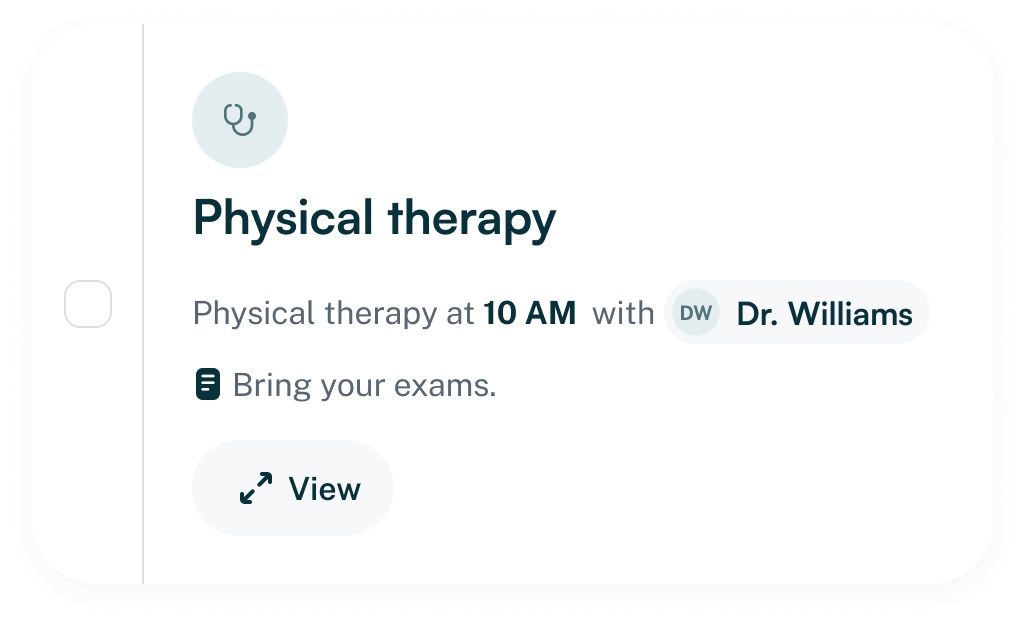
Appointment reminder for physical therapy at 10 AM with Dr. Williams including a note to bring your exams and a view button.
Reminder card showing a completed task for morning medications with instructions to take them at 8 AM with a meal, and a button labeled View.
Chat message from Nadia Raymond suggesting a game night with the group this Thursday, alongside her smiling profile picture and a send button.
Profile card of smiling woman with glasses named Agnes Hoffman with text 'Love it, I’m in!' and a right arrow button.
Notification message with a checkmark icon stating Game night with friends added to your calendar.

Stay social and connected with the people you love

White heart shape on a black background.

For Family & Friends

Stay close, so whether you're near or far, you’re able to show up in a meaningful way, and feel confident nothing's slipping through the cracks.

Get Started
Icon of a glowing light bulb.
Notifications panel showing recent activity and alerts, including medication overdue for Alan, a new request for a drive to Dr. Patel, a chat message confirming time for tomorrow, a status update from Nadia, and a new task to look for a new chair.

Understand what's going on without having to ask

Feel like you're really there for your person, not just “available if you need me”

Notification showing a status update from Nadia saying, 'Feeling a bit tired today, but doing okay,' with a 'Got it' confirmation button.
Chat bubble from Faye Raymond with a message saying 'Hi Mom! Missing you ❤️ how was your day?' and a profile picture of a woman.
Icon of four people holding hands in a circle around a heart

Offer help, cross off a task or find a service

Icon of a checklist with three checkmarks and a pencil writing on the right side.
Task list showing names Nadia, Alan, Faye with needs, urgency levels from urgent to medium, status accepted or completed, and associated actions.

For Trusted Providers

Engage with the clients and families who already rely on you. Respond when you're needed and become an integral part of their Circle.

Get Started
Gray badge-shaped icon featuring a black checkmark in the center.

Respond when you're needed and become an integral part of their Circle.

Dashboard interface on a white laptop screen showing sections for recent activity, requests, clients, and chat messages, with client details and navigation menu on the left.